> ## Documentation Index
> Fetch the complete documentation index at: https://docs.affinda.com/llms.txt
> Use this file to discover all available pages before exploring further.
# Pre-Processing Overview
> Overview of pre-processing steps Affinda applies to incoming documents, including format conversion, deskewing, OCR, splitting, and classification.
Pre-processing involves the automated cleaning, organizing, and structuring of uploaded files to prepare the documents for data extraction.
## Importance of Pre-Processing
By ensuring documents are well-prepared before extraction, pre-processing
* Reduces the likelihood of errors in later stages
* Improves the speed and accuracy of data extraction
* Enables the seamless handling of various document types and formats
## Key Pre-processing Actions:
* **Invalid File Handling:** Identify issues that mean a document cannot be processed, such as insufficient text in the document, unsupported file types, corrupted files, or password-protected documents.
* **File Format Conversion:** This involves converting file formats (e.g., images, PDFs with embedded data) into a PDF format suitable for processing.
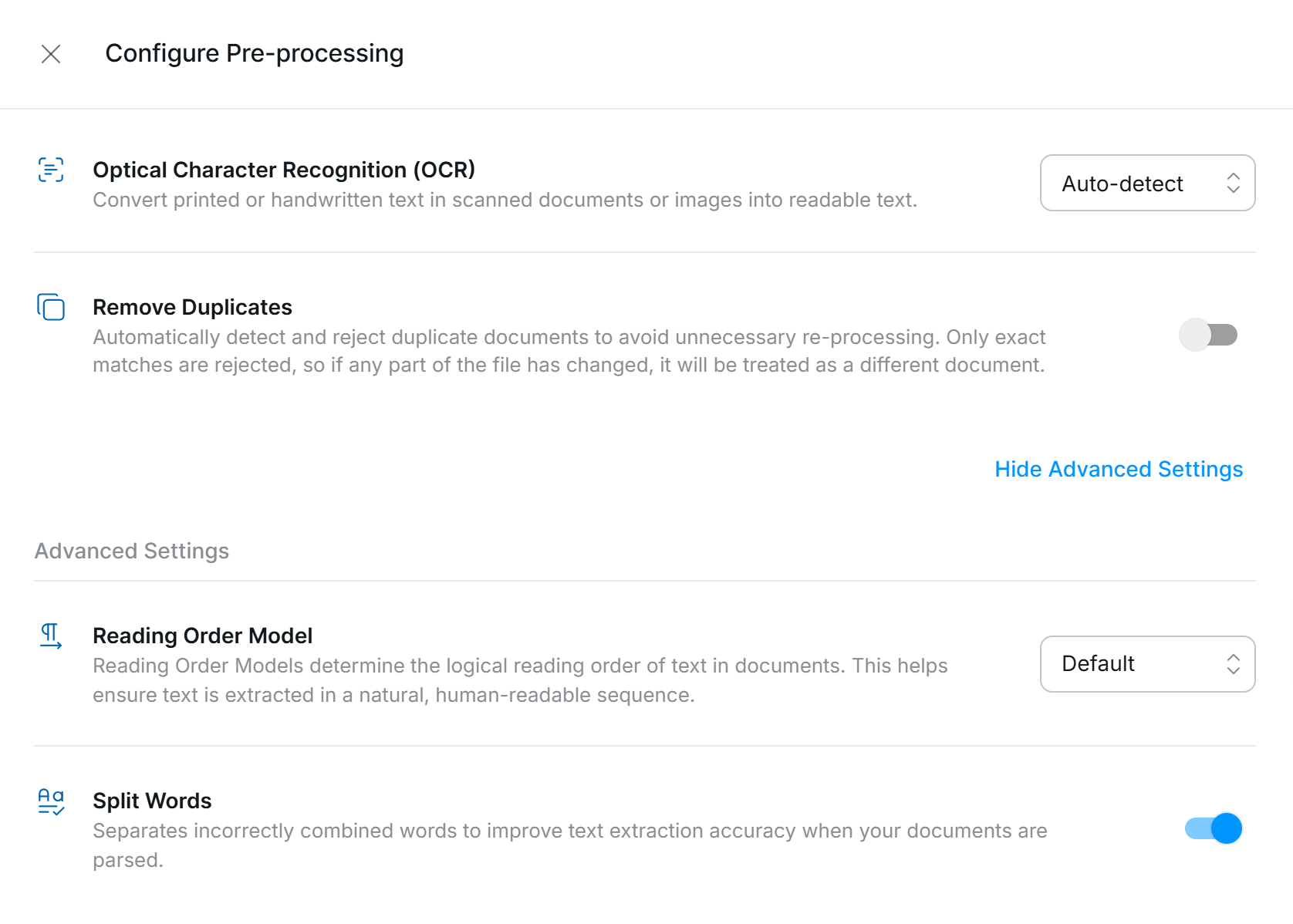
* **Remove Duplicates:** Workspaces can be configured to identify and reject documents that have already been processed. This can be configured by the user in Workflow Settings; see [Remove Duplicates](/configuration/duplicates) for more information.
* **OCR (Optical Character Recognition)**: Extracting text from scanned or image-based documents using advanced OCR technology, ensuring high accuracy for all document types and formats. See [OCR and Text Extraction](/configuration/ocr) for more information.
* **Language Detection:** Automatically identifies the language of the document to ensure high-accuracy extraction.
Pre-processing settings can be found in your Workspace *Workflow Settings*.
 ## Advanced Pre-processing Settings:
**Reading Order Model:** The Affinda Platform uses our proprietary reading order algorithms by default to capture word sequences in visually rich documents in a way that aligns with human comprehension. This ensures that text is processed in the same order a human would read it, leading to more accurate extractions.
**Split Words:** Ensures words that are incorrectly combined are separated for extraction. Default is on.
## Advanced Pre-processing Settings:
**Reading Order Model:** The Affinda Platform uses our proprietary reading order algorithms by default to capture word sequences in visually rich documents in a way that aligns with human comprehension. This ensures that text is processed in the same order a human would read it, leading to more accurate extractions.
**Split Words:** Ensures words that are incorrectly combined are separated for extraction. Default is on.