> ## Documentation Index
> Fetch the complete documentation index at: https://docs.affinda.com/llms.txt
> Use this file to discover all available pages before exploring further.
# Redact sensitive data and PII from documents
> Configure document redaction in Affinda to mask or remove sensitive data such as PII before exporting redacted versions of documents downstream.
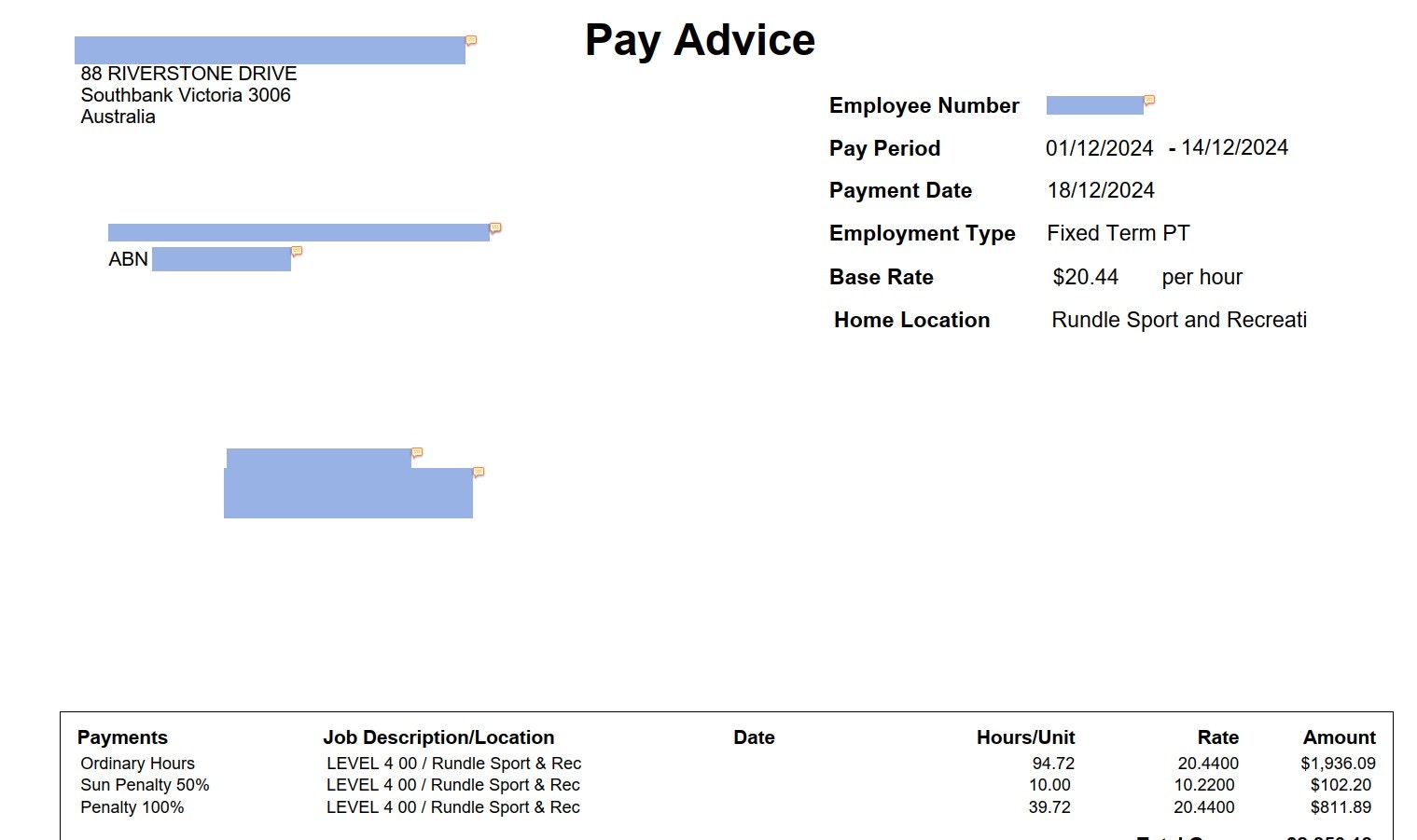
While the most common export from the Affinda platform is structured data to be ingested into a downstream system, Affinda also offers document redaction capabilities on any document type. With these redaction capabilities, we edit the PDF so that the original text is completely removed and not just masked by an overlay.
Click here for information about our pre-configured Resume Redactor.
## Configuring a Document Type for redaction
The steps to create a new Document Type that is suitable for redaction are very similar to those required for the typical extraction of structure data.
1. [Follow this tutorial to create your new Document Type](/academy/model-creation)
2. Edit every field to ensure 'Allow Multiple Values' (found in Advanced Settings) is enabled (this ensures that if a field is repeated within the document, each version is redacted)
3. Upload documents to view fields to be redacted in the document validation interface
4. (optionally) Edit and update model predictions
5. Use the **Get Redacted Document** endpoint to return a redacted PDF version of the original document
Get in contact with the Affinda team to discuss your redaction use case and to enable a 'redaction' setting on your document type that will optimise for this output
 ## Exporting redacted file via API
```bash theme={null}
curl -L -X GET "https://api.affinda.com/v3/documents//redacted" \
-H "Authorization: Bearer " \
-o redacted_.pdf
```
### Frequently Asked Questions about Redaction
To ensure the model redacts every version of the field on your document, you need to enable 'allow multiple' in your fields configuration.
To do this, go to your Configure Document Type Interface >Locate your field > navigate to Advanced Settings > enable "Allow Multiple Values"
For Redaction, we recommend setting all fields to "Allow Multiple Values" to avoid this issue.
The performance of the redaction is determined by the performance of the underlying extraction model. To improve, we recommend adding more example documents and validating correct example documents to build Model Memory.
Follow the [Improving Model Accuracy Tutorial](/academy/improving-accuracy) for step-by-step instructions.
## Exporting redacted file via API
```bash theme={null}
curl -L -X GET "https://api.affinda.com/v3/documents//redacted" \
-H "Authorization: Bearer " \
-o redacted_.pdf
```
### Frequently Asked Questions about Redaction
To ensure the model redacts every version of the field on your document, you need to enable 'allow multiple' in your fields configuration.
To do this, go to your Configure Document Type Interface >Locate your field > navigate to Advanced Settings > enable "Allow Multiple Values"
For Redaction, we recommend setting all fields to "Allow Multiple Values" to avoid this issue.
The performance of the redaction is determined by the performance of the underlying extraction model. To improve, we recommend adding more example documents and validating correct example documents to build Model Memory.
Follow the [Improving Model Accuracy Tutorial](/academy/improving-accuracy) for step-by-step instructions.