> ## Documentation Index
> Fetch the complete documentation index at: https://docs.affinda.com/llms.txt
> Use this file to discover all available pages before exploring further.
# Standard field data types and parsing rules
> Reference for Affinda's standard data types including text, number, date, currency, and boolean, with parsing rules and supported formats for each.
Your field's data type determines how extracted values are processed and standardized. Different data types are available to ensure that structured and unstructured data are correctly categorized. The selected data type influences the structure of the data and the post-processing logic applied to extracted values, ensuring consistency and accuracy.
### Show Raw Values
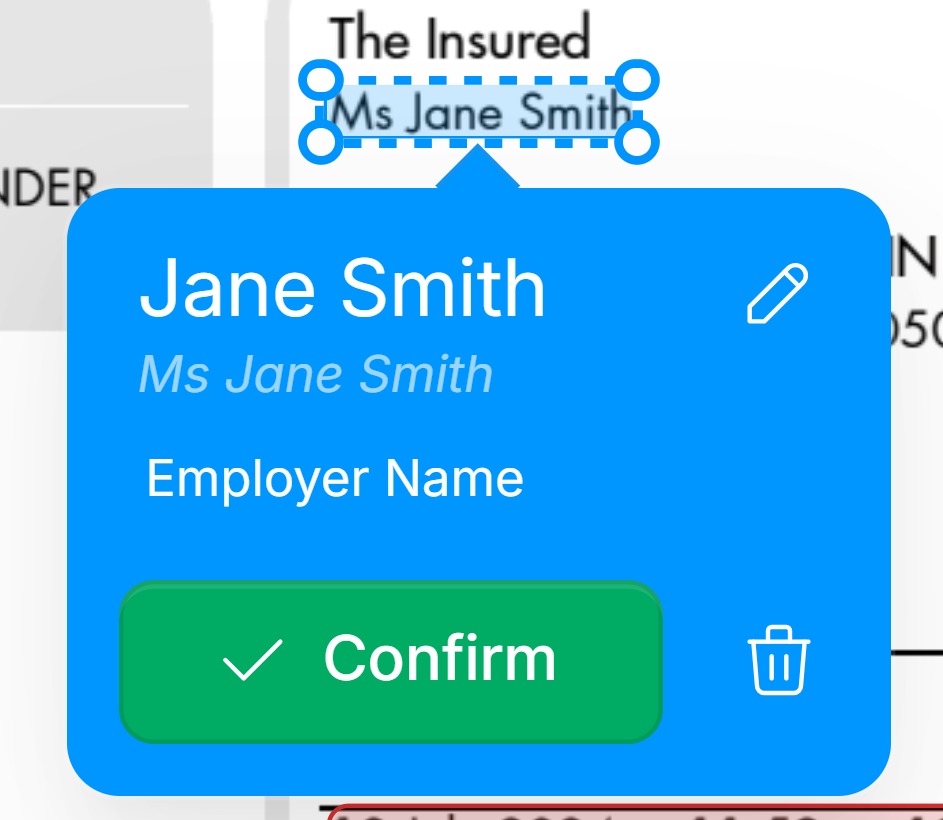
Affinda stores two versions of every extracted field: raw (exact text from the document) and parsed (after data-type formatting and other transformations). Both are included in data exports. In the app’s **Document Validation** interface, only the parsed value is shown by default. To show raw values alongside it, open a document, click the three dots in the top-right, and select "Show Raw Values".
Once enabled, the raw value will be shown in italics underneath the parsed value.
 ## Text
Raw text is retained as-is with no special formatting. Suitable for general strings, labels, or descriptions.
Users can adjust the following text type options:
* **Standardize bullets:** Removes bullet point formatting from extracted values.
* \*\*Include line break: \*\*Maintains the line breaks from the original text in the extracted data.
## Text
Raw text is retained as-is with no special formatting. Suitable for general strings, labels, or descriptions.
Users can adjust the following text type options:
* **Standardize bullets:** Removes bullet point formatting from extracted values.
* \*\*Include line break: \*\*Maintains the line breaks from the original text in the extracted data.
 ### Text Transformations
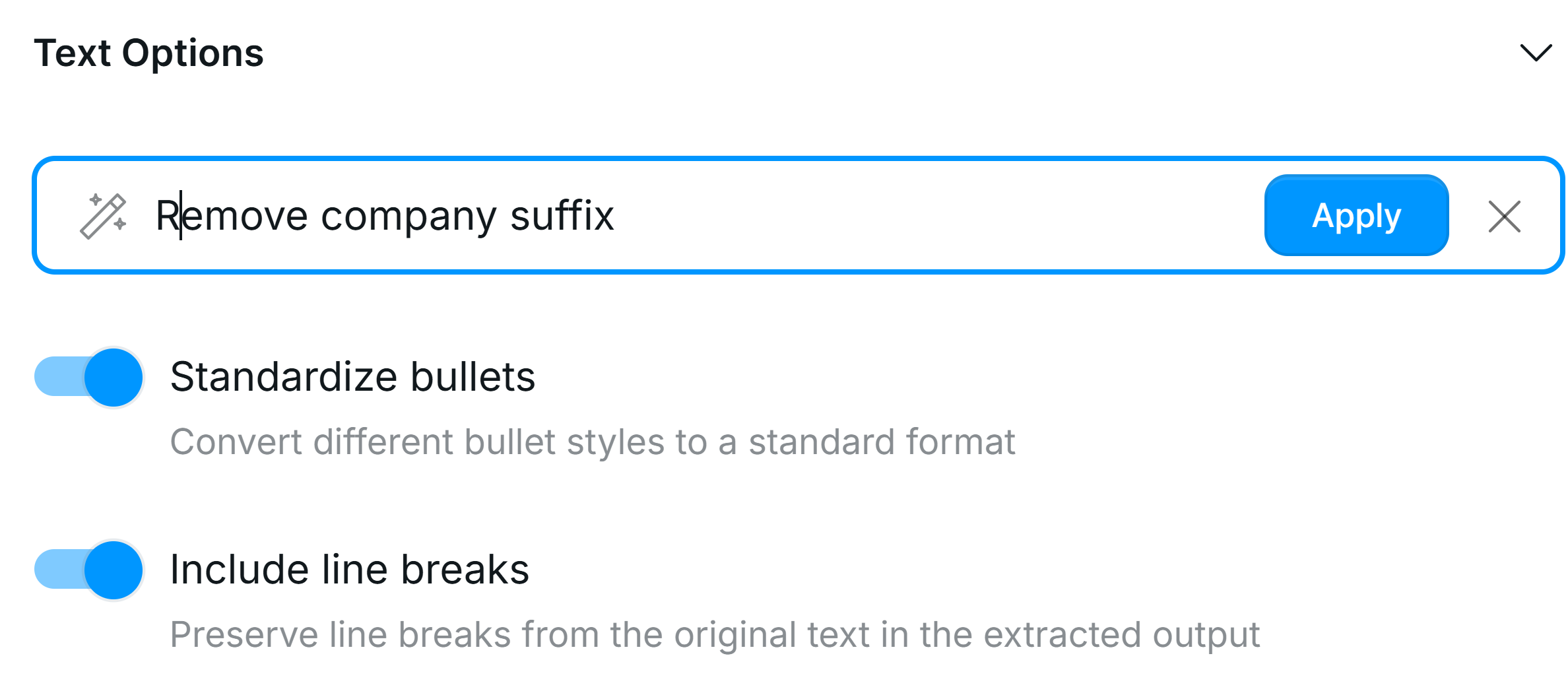
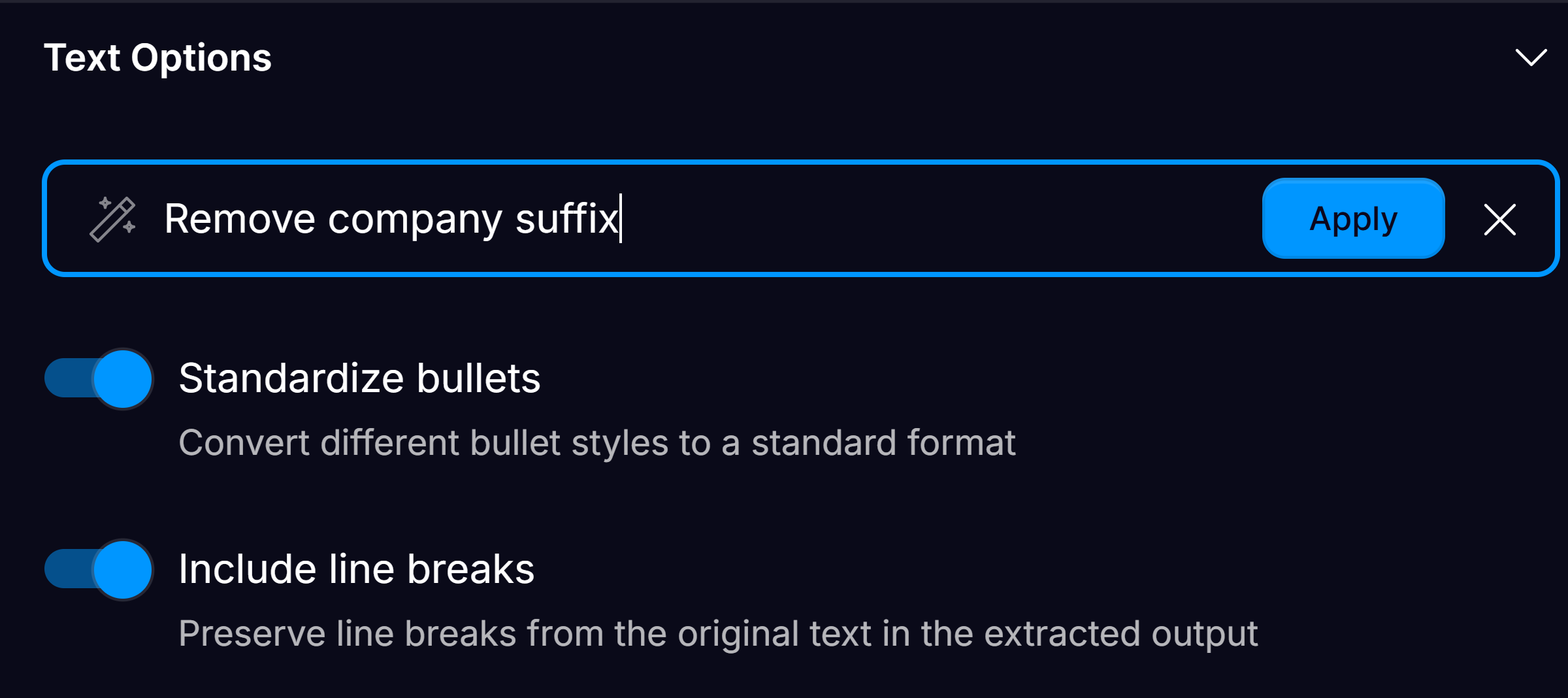
Transformations allow users to refine extracted text by applying a natural language prompt. Users can specify how they want text to be cleaned, reformatted, or transformed for better usability. Affinda processes transformations using either:
* Large Language Models (LLMs) for dynamic text refinement
* Code-based transformations, where possible, ensuring minimal variability in standardized data
Text Transformations and the [field description](/configuration/field-configuration#field-description) serve different purposes. Use the field description to guide the model on *what* to extract from the document (for example, "Extract the billing address, not the supplier's address"). Use Text Transformations to control *how* the extracted value is formatted in the output (for example, trimming whitespace, normalising dates, or stripping trailing characters).
## Numbers
Formats values into numbers. Users can adjust the number of decimals returned via Decimal Options in the Field Configuration view.
## Dates
All Date Data types standardize dates into ISO 8601 format (YYYY-MM-DD and hhmmss). Affinda supports 3 date structures:
* Date
* Date/time
* Date Range
### Date Options
### Text Transformations
Transformations allow users to refine extracted text by applying a natural language prompt. Users can specify how they want text to be cleaned, reformatted, or transformed for better usability. Affinda processes transformations using either:
* Large Language Models (LLMs) for dynamic text refinement
* Code-based transformations, where possible, ensuring minimal variability in standardized data
Text Transformations and the [field description](/configuration/field-configuration#field-description) serve different purposes. Use the field description to guide the model on *what* to extract from the document (for example, "Extract the billing address, not the supplier's address"). Use Text Transformations to control *how* the extracted value is formatted in the output (for example, trimming whitespace, normalising dates, or stripping trailing characters).
## Numbers
Formats values into numbers. Users can adjust the number of decimals returned via Decimal Options in the Field Configuration view.
## Dates
All Date Data types standardize dates into ISO 8601 format (YYYY-MM-DD and hhmmss). Affinda supports 3 date structures:
* Date
* Date/time
* Date Range
### Date Options
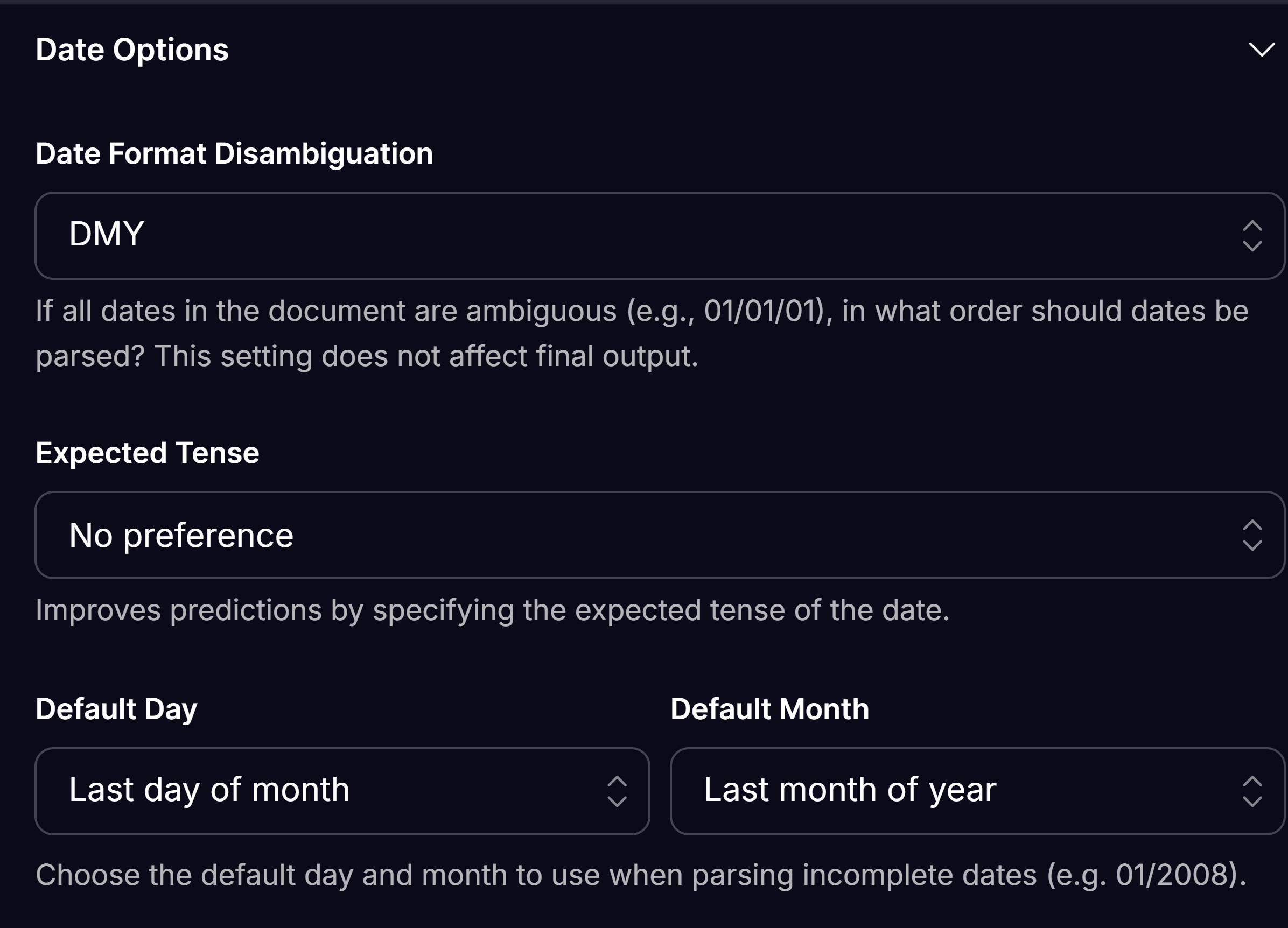
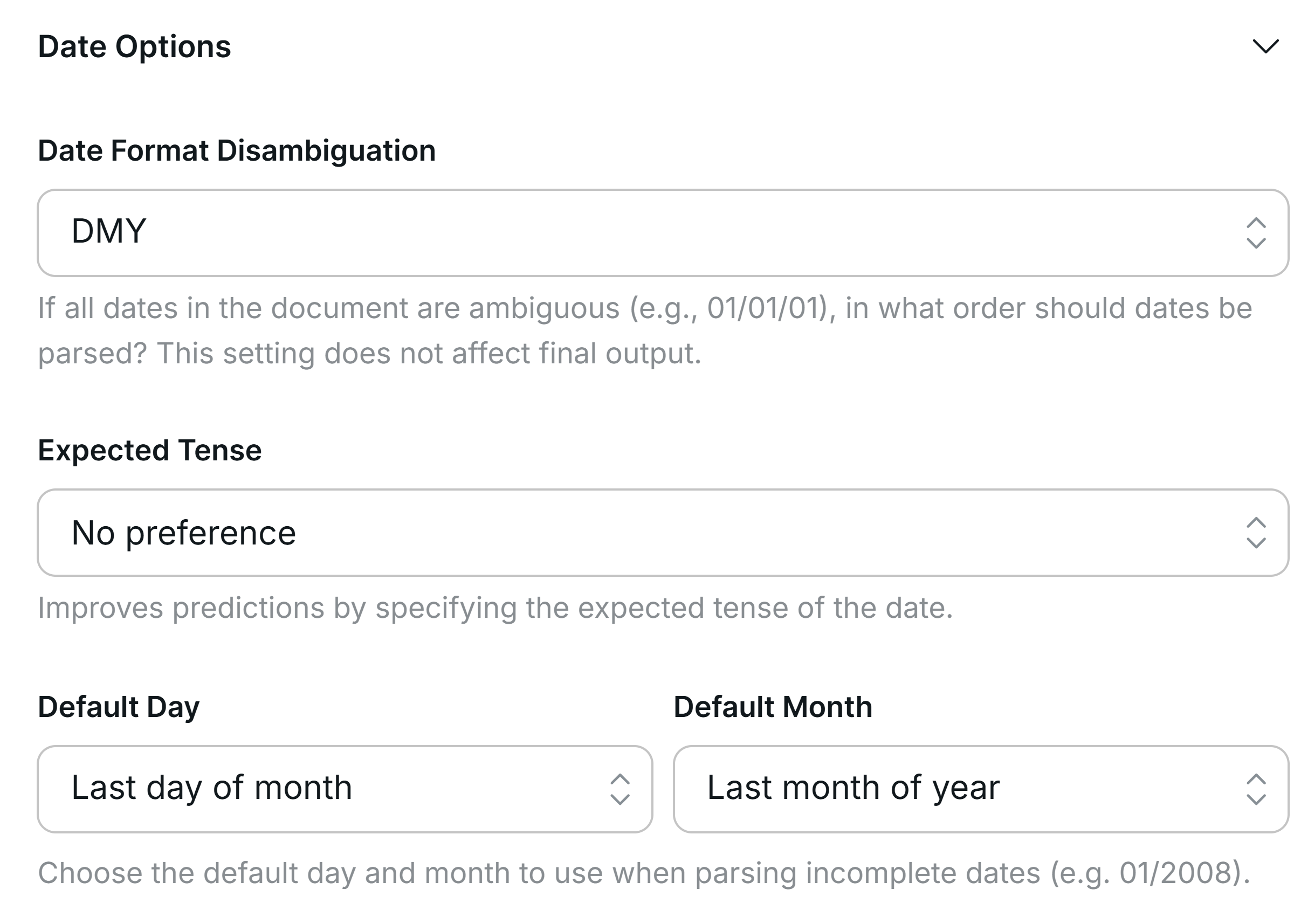 **Date Format Disambiguation** - Specify how the model should interpret ambiguous date formats (e.g., 03/04/2024). Choose the format that best matches your regional preference—**DMY** for UK-style dates or **MDY** for US-style dates.
**Expected Tense** - improve predictions by indicating the expected tense of the date (Past or Future).
**Default Day and Month** - Select the default for when dates are missing a day or a month.
**Date Format Disambiguation** - Specify how the model should interpret ambiguous date formats (e.g., 03/04/2024). Choose the format that best matches your regional preference—**DMY** for UK-style dates or **MDY** for US-style dates.
**Expected Tense** - improve predictions by indicating the expected tense of the date (Past or Future).
**Default Day and Month** - Select the default for when dates are missing a day or a month.
 ## Location
Geocoding is applied to identify and structure the address into street, city, country, etc. fields
Users can adjust the following Location options:
* **Expected Country**: Improve predictions by specifying the country you expect to find in the document.
## Phone Number
Structured to include country code, international country code, formatted number and national number in the response.
Users can adjust the following Phone Number options:
* **Default country code**: Specify the default country code when one isn't found on the document.
## URL
Identifies the url link and the domain
## Location
Geocoding is applied to identify and structure the address into street, city, country, etc. fields
Users can adjust the following Location options:
* **Expected Country**: Improve predictions by specifying the country you expect to find in the document.
## Phone Number
Structured to include country code, international country code, formatted number and national number in the response.
Users can adjust the following Phone Number options:
* **Default country code**: Specify the default country code when one isn't found on the document.
## URL
Identifies the url link and the domain