

A correction is a field-level event where the current annotation differs from the original model prediction. Field confirmations with no change to the value, selection, or count are excluded.
Overview tab
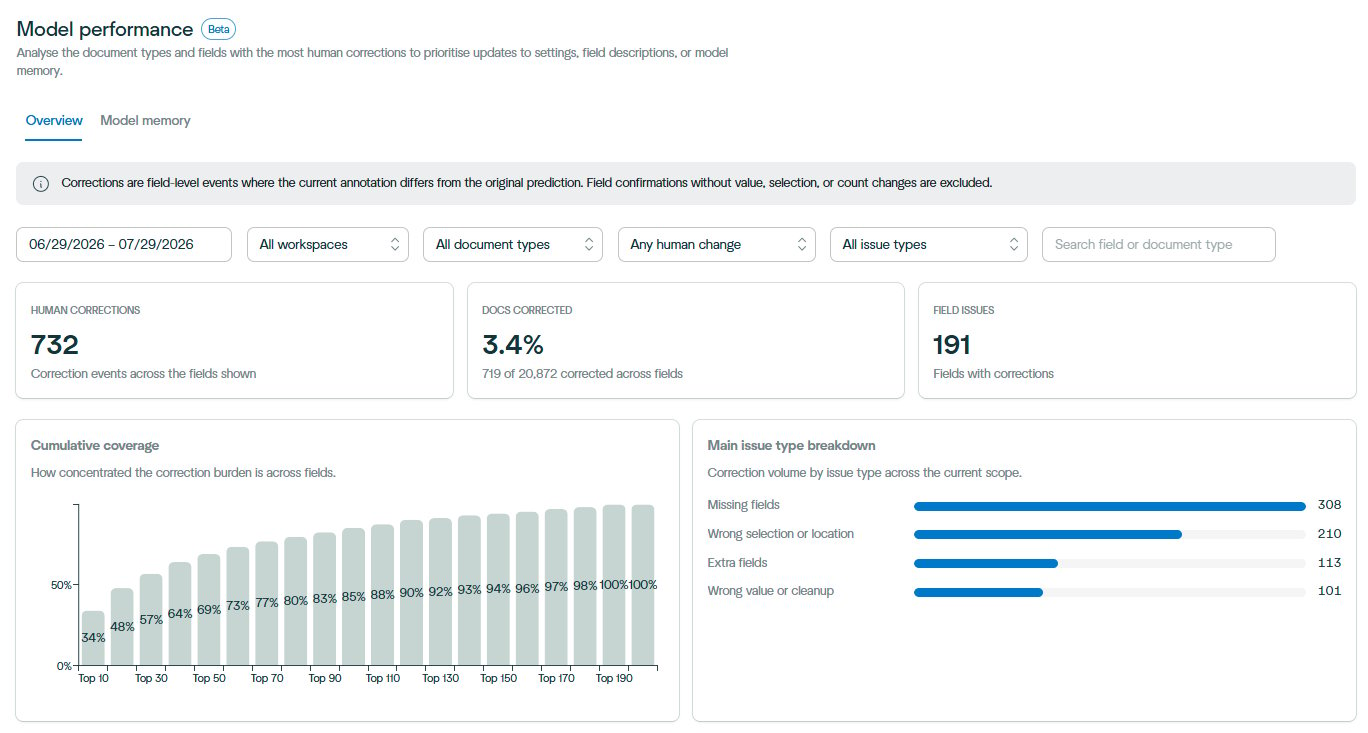
- Human corrections – total correction events across the fields in scope.
- Docs corrected – the share of documents in scope that needed at least one correction.
- Field issues – the number of distinct fields with corrections.
Cumulative coverage
Shows how concentrated the correction burden is across fields. In most configurations a small group of fields accounts for the majority of corrections, which tells you how much of the problem you can solve with a handful of changes.Main issue type breakdown
Correction volume split by the kind of change the reviewer made:
The mix matters when deciding what to change. Missing and extra fields usually point to an unclear field description or a schema that does not match the document. Wrong selection or location usually points to a Model Memory reference that is not a close match to the documents being processed.
Field detail
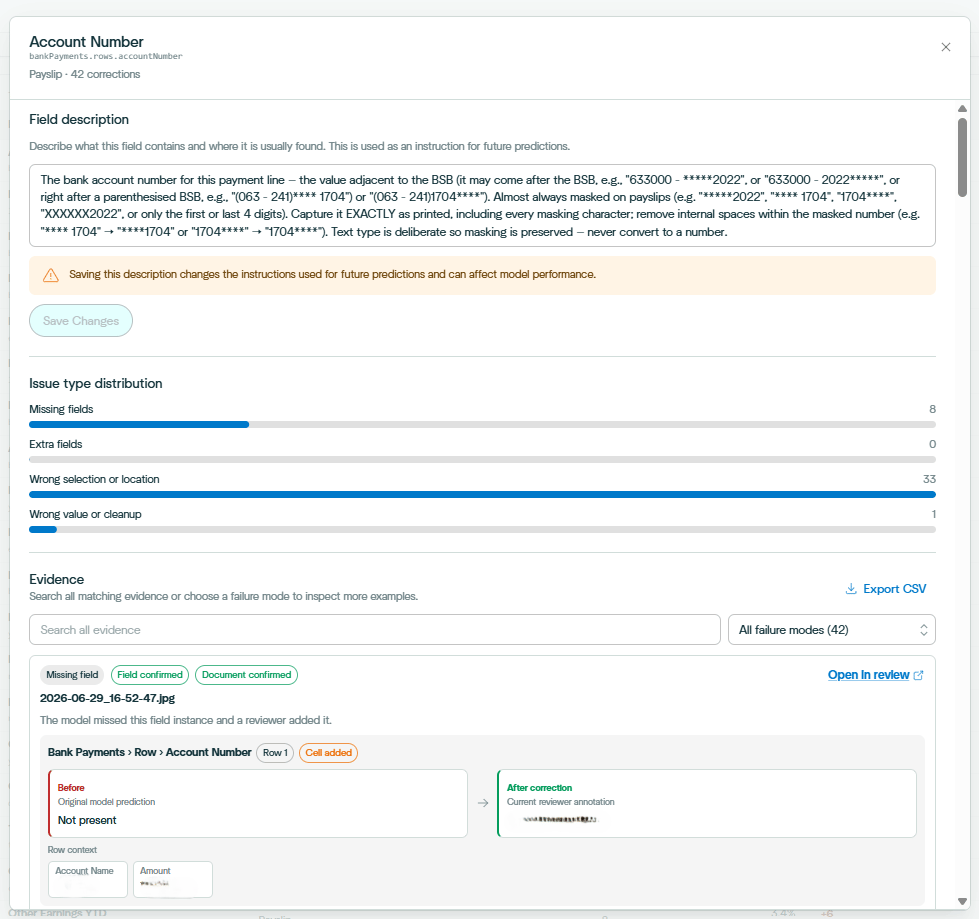
- Field description – the instruction used for future predictions. Edit and save it directly from this panel. Changes affect all future extractions for that field.
- Issue type distribution – the same four issue types, scoped to this field.
- Evidence – individual correction events showing the original model prediction next to the reviewer’s annotation, with surrounding row context for table fields. Filter by failure mode, search across evidence, open the source document in the review interface, or export the full set to CSV. Reading the before and after values across several examples usually makes the fix obvious. A field that is repeatedly captured from the wrong region needs a description that states where the value sits. A field that is repeatedly reformatted needs the expected format written into the description, or a text transformation.
Model memory tab
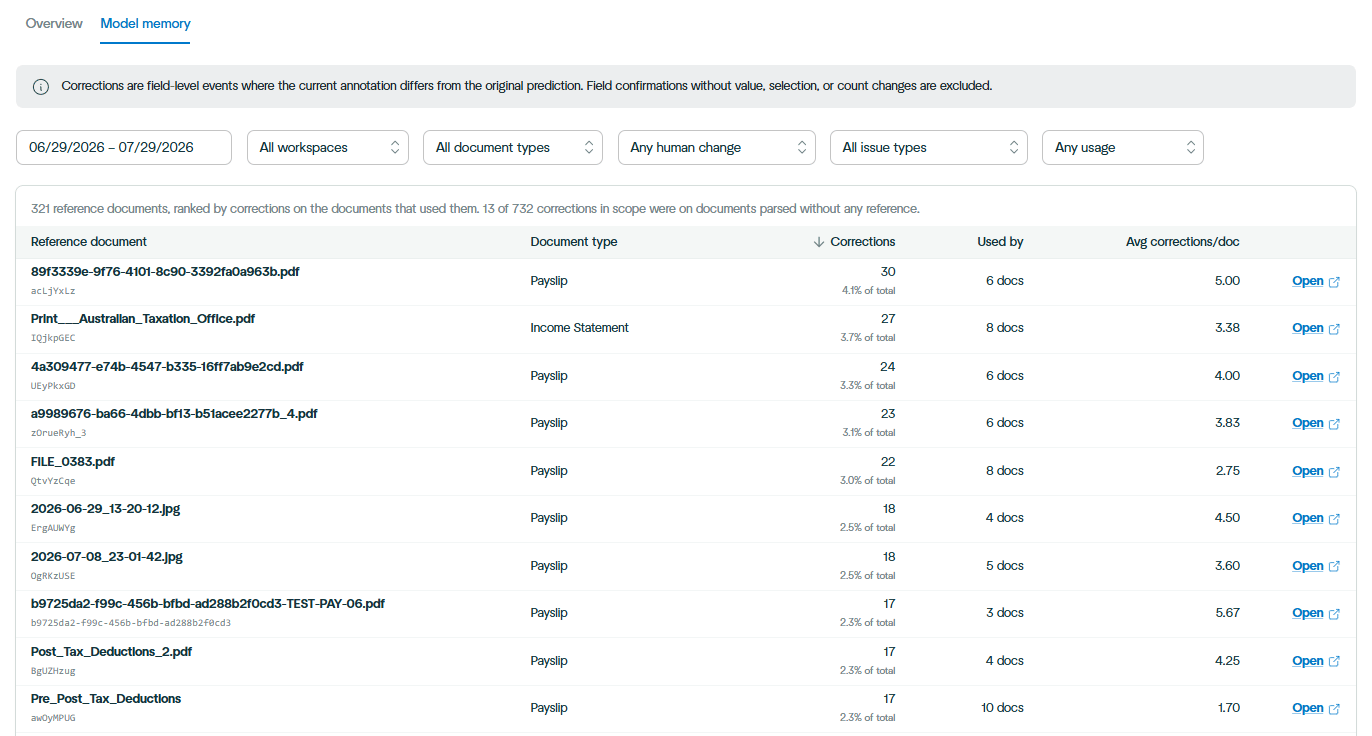
- The reference has inaccurate annotations. Errors in a Model Memory document propagate to every document that references it. Open the reference, correct the annotations, re-confirm it, and reparse the affected documents.
- The reference is a poor choice for Model Memory. It may be an unusual or low-quality example that is being matched too broadly.
- A closer match is missing. The fingerprinting algorithm selected the best available reference, but no reference closely resembles the incoming format. Confirm a representative document of that format and add it to Model Memory. Average corrections per document is the more useful column when comparing references, since total corrections is partly a function of how often a reference is used.
A suggested working rhythm
- Set the date range to your last review period and leave the other filters open.
- Use the cumulative coverage chart to decide how many fields are worth addressing.
- Work through the top fields, reading the evidence before changing anything.
- Update field descriptions, settings, or validation rules based on what the evidence shows.
- Check the Model memory tab for reference documents with a high average corrections per document, and correct, remove, or supplement them.
- Reparse affected documents so the changes apply to work already in the queue.
- Return in the following period and compare correction volume on the fields you changed.